Email Verification API: How It Works and What to Evaluate
Learn how an email verification API works, from syntax checks to SMTP probes. Compare accuracy, latency, pricing, and compliance for outbound sales teams.

On this page
- 01Table of Contents
- 02Why Outbound Teams Need Email Verification APIs
- 03How Email Verification APIs Work Under the Hood
- 04Key Features to Evaluate in Verification APIs
- 05Handling Ambiguous Verdicts in Production Workflows
- 06Integration Best Practices for Production Systems
- 07Compliance and Data Privacy Requirements
- 08Business Impact and ROI for Sales Teams
A sales team imports a fresh prospect list into its sequencing platform. The addresses look legitimate, the copy is ready, and the campaign launches before anyone notices that some domains are inactive, some mailboxes are disposable, and others accept every address without confirming whether a specific inbox exists. The first bounce alerts arrive after the sequence has already started, when sender reputation and rep confidence are already at risk.
An email verification API moves that decision earlier. It gives your CRM, enrichment workflow, signup form, or outbound platform a structured assessment before an address becomes another send. The difficult part isn't rejecting obvious typos. Production systems must also decide what to do with catch-all, risky, and unknown results, while handling email addresses as personal data rather than treating them as harmless technical inputs.
Table of Contents
- Why Outbound Teams Need Email Verification APIs
- How Email Verification APIs Work Under the Hood
- Key Features to Evaluate in Verification APIs
- Handling Ambiguous Verdicts in Production Workflows
- Integration Best Practices for Production Systems
- Compliance and Data Privacy Requirements
- Business Impact and ROI for Sales Teams
Why Outbound Teams Need Email Verification APIs
A verification API is most useful when it sits between data collection and sending. A CRM import can trigger a batch job, a rep adding a prospect can trigger a real-time check, and a signup form can verify an address before it enters a marketing database. That makes verification a control point in the workflow, not a spreadsheet exercise performed once before a campaign.
The underlying pressure is substantial. Independent industry research estimates that 4.6 to 4.83 billion people use email globally, while approximately 376.4 to 392.5 billion emails are sent daily. The same research estimates annual email list decay at 22.5% to 25%, with B2B lists decaying at 25% to 30%. Those figures explain why contact data can't be considered permanently clean, even when it came from a reputable source. Industry research on email list decay and verification
Operational rule: Treat an address as a changing record, not a permanent fact.
The business case has four parts:
- Fewer avoidable bounces: Deterministic invalid addresses can be suppressed before they consume a send.
- Protected sender reputation: Removing obvious failures reduces the volume of messages sent to unusable destinations.
- Lower tooling waste: Sequencing and email-platform capacity isn't spent on addresses that should never have entered a campaign.
- Cleaner routing: Valid, risky, and unknown records can follow different paths instead of being forced into one send-or-delete decision.
Verification has also become a meaningful software category. One market projection places email verification software at USD 1.28 billion in 2026 and USD 2.46 billion by 2035, implying a 7.47% CAGR over that forecast period. The report also provides historical data, which indicates a category mature enough for teams to evaluate adoption and operational fit over time. Email verification software market projection
The strongest implementations verify at multiple points: during enrichment, when records enter the CRM, before sequencing, and again when older data is reused. That continuous model protects the workflow from both bad acquisition data and ordinary mailbox churn.
How Email Verification APIs Work Under the Hood
An email verification api is a sequence of checks, not a single yes-or-no test. Syntax, DNS, and SMTP checks answer different operational questions, and production workflows need those distinctions to route records safely. Technical overview of email verification API checks
Consider john.doe@company.com.
Stage one checks syntax and normalizes the input
The API first tests whether the address follows email-format rules. It can detect a missing separator, illegal characters, or malformed domain structure. It may also remove leading and trailing whitespace, normalize Unicode variations, and standardize domain casing.
Cleaning the value before network checks prevents avoidable false failures. Two visually similar strings can behave differently in a CRM, enrichment tool, or sequencing platform, so store the normalized address alongside the original when auditability matters.

Stage two checks the domain and mail exchange records
The API then resolves the domain and looks for mail-exchange records. If company.com does not exist or has no mail infrastructure capable of receiving messages, the record should stop before entering an outbound sequence.
This catches failures that syntax validation cannot. john.doe@companny.com is correctly formatted, but the misspelled domain still makes delivery impossible.
Stage three probes the receiving server
The final network check typically uses an SMTP handshake or RCPT probe. The verifier asks whether the destination server appears willing to accept mail for john.doe@company.com, without delivering a message.
Corporate gateways may block, defer, or disguise these probes. The response therefore indicates evidence, not guaranteed inbox placement. A useful API should preserve verdicts such as valid, invalid, risky, or unknown, rather than forcing every result into a send-or-delete decision. Catch-all domains are especially important: the server may accept any mailbox, so the API cannot confirm that the individual address exists.
Those ambiguous results need workflow rules. Route invalid records to suppression, hold risky and unknown records for review or a lower-risk path, and retain the provider response and timestamp for later decisions. Because email addresses can identify individuals, access, retention, and downstream sharing also belong in the GDPR data-handling review.
For the sending system around verification, maximize email delivery with Yalc covers authentication, list governance, sending behavior, and campaign controls. Enrichment-heavy teams can pair verification with a waterfall enrichment guide, while keeping the source and confidence level for each value.
Key Features to Evaluate in Verification APIs
An email verification api earns its place in an outbound stack through its verdicts, response time, and behavior under uncertainty, not through a single accuracy headline. Independent testing places leading APIs in the high-90% accuracy range on standard business-domain checks, while also showing differences in latency, batch completion, pricing efficiency, and catch-all handling. One tested API returned results in under 2 seconds at 99.9% accuracy. Several others took 1 to 3 seconds at 98% to 99% accuracy. Independent email verification API benchmark
Those results represent different operating profiles. A form submission may need immediate feedback, while a scheduled CRM cleanup may prioritize cost per usable result and a clear rule for ambiguous domains.
Define accuracy by verdict
Ask what the vendor includes in its accuracy calculation. A high raw rate is less useful if catch-all and unknown addresses are classified as valid. A slightly slower API with explicit classifications can create fewer downstream problems.
The response schema should distinguish:
- Syntax or domain failure, which is usually safe to suppress.
- Mailbox rejection, which gives stronger evidence that the address should not receive mail.
- Catch-all behavior, where the server accepts addresses broadly without confirming the mailbox.
- Risk signals, including disposable or role-based patterns.
- Unknown or temporary failure, where the check could not be completed.
Independent review content reports valid-verdict precision ranging from 93.2% to 95.6% across tested providers and finds substantial differences in the list-priced cost of deliverable results. A low per-check price is not necessarily low operational cost if addresses marked valid later fail during sending. Analysis of real-world accuracy and deliverable cost
Separate latency from batch performance
For live forms and rep workflows, latency determines whether verification protects the process or makes the page feel broken. Batch imports require throughput, retry behavior, and reliable completion. One benchmark measured 100-email batch completion times from about 8 to 25 seconds, so synchronous and asynchronous integrations should be evaluated separately.
| Optimization priority | Typical latency | Best use case | Trade-offs |
|---|---|---|---|
| Speed | Under 2 seconds in one benchmarked API | Signup forms and live prospect capture | May provide less favorable economics or weaker catch-all handling |
| Balanced response | 1 to 3 seconds across several benchmarked APIs | CRM enrichment and rep workflows | Requires testing how unknown results are classified |
| Batch efficiency | About 8 to 25 seconds for 100 emails in one test | Imports and scheduled list cleaning | Not appropriate for blocking a user-facing form |
| Cost optimization | Provider-dependent | Large recurring verification jobs | List price may not reflect the cost of deliverable results |
| Catch-all handling | Provider-dependent | High-value outbound and cautious sequencing | More ambiguous records may require review or lower-volume routing |
Pricing needs the same operational review. Compare credits, retries, unknown-result billing, batch discounts, overages, and the effective cost of records that pass your own send policy. Test with business domains from your data, because a vendor-provided file rarely exposes the edge cases that break production workflows.
The API should also expose the original response, confidence or reason codes, and a timestamp. Those fields let RevOps teams audit routing decisions, recheck temporary failures, and apply different policies to forms, CRM imports, and outbound sequences. Treating every result as a permanent valid or invalid label removes that control.
For a quick external check of an address or list, an email tester can complement an API evaluation. It cannot replace a documented production policy. The practical question is whether your system can apply each label consistently, especially for catch-all, risky, and unknown records.
Handling Ambiguous Verdicts in Production Workflows
The valid-or-invalid model is too simple for outbound operations. A catch-all domain may accept mail at the server level while providing no evidence that the individual mailbox exists. A risky result can represent a disposable, role-based, or otherwise uncertain address. An unknown result may mean that a gateway deferred the check, blocked probing, or returned a temporary error.
These states need routing rules. If every non-invalid address enters a normal sequence, the team treats uncertainty as confidence. If every uncertain address is deleted, the team throws away potentially valuable prospects, especially at corporate domains.

Use campaign-specific thresholds
A newsletter signup and an outbound sales sequence don't carry the same risk. A signup can accept an uncertain address and require confirmation before marketing communication begins. An outbound team should generally use a stricter threshold because one bad send can affect a sending identity that supports many future conversations.
A practical policy looks like this:
- Suppress deterministic invalids: Block malformed addresses, nonexistent domains, absent mail infrastructure, and explicit mailbox failures.
- Quarantine disposable addresses: For B2B acquisition, keep temporary inboxes out of sales and trial workflows unless there is a documented exception.
- Separate role-based addresses: Route shared inboxes to company-level messaging rather than treating them as individual contacts.
- Retry unknown results: Schedule controlled retries when the failure appears temporary.
- Review high-value catch-all records: Preserve strategic prospects, but keep them out of the normal automated lane until the team has more evidence.
Let prospect value influence the action
A low-value record with a catch-all verdict may not justify enrichment or human review. A strategic account with a named buyer, strong fit, and no alternative contact may justify additional enrichment, a verified phone channel, or manual confirmation before sending.
Retry logic should also be bounded. Repeating the same probe indefinitely wastes credits and can create noisy activity, while suppressing after one unknown response confuses uncertainty with failure. Store the reason code, the attempt history, and the resulting workflow bucket so RevOps can change policy without losing the original evidence.
Practical rule: Unknown is a state your system must manage, not a verdict your team should silently convert into invalid.
Integration Best Practices for Production Systems
The most common implementation mistake is treating the verifier as a normal synchronous dependency. That works for an occasional lookup and breaks during imports, provider slowdowns, or quota events. Build the integration as a small service with its own queue, state machine, cache, and failure policy.

Separate live checks from batch jobs
A live form should make one bounded request and fail gracefully if the verifier is unavailable. Don't block every legitimate submission because an external service timed out. Accept the address, mark it unconfirmed, and require confirmation before activating marketing communication.
Batch verification belongs behind a queue. Submit manageable jobs, record the provider job identifier, and consume a webhook when results are ready. If webhooks aren't available, poll with increasing intervals and make the polling process idempotent. Never assume a completion event will arrive only once.
Design for provider limits
Client-side throttling protects both your account and the provider relationship. Use a token bucket or equivalent limiter, honor 429 responses, and apply exponential backoff with jitter for transient failures. Separate retryable failures, such as timeouts and temporary server responses, from permanent failures, such as malformed credentials or exhausted quota.
A useful state model is:
- Queued, the record is waiting for capacity.
- Processing, the request is in flight.
- Retryable, the provider returned a temporary failure.
- Completed, the system stored the normalized verdict.
- Review or suppress, the workflow policy selected the next action.
Connection pooling and request batching can reduce overhead in backend workers, but don't let batching erase record-level traceability. Every result should retain the CRM record ID, normalized email, provider response, timestamp, and policy version that produced the final bucket.
Caching prevents unnecessary rechecks, particularly when the same address appears in multiple enrichment jobs. Cache keys should use a normalized email, and cache duration should reflect the risk of stale data rather than an arbitrary permanent rule. A short-lived cache is useful for repeated form submissions, while older outbound records should eventually return to a re-verification queue.
Failure scenario: If the verification provider goes down during a CRM import, pause automated sequencing, preserve the records as pending, and resume from the queue after recovery. Don't silently mark the entire import valid.
Compliance and Data Privacy Requirements
An email address identifies or can identify a person, so an email verification API is processing personal data when it receives, stores, analyzes, or returns that address. The compliance question begins before the first request. Teams need to know why they are processing the data, which vendors receive it, how long copies remain, and how deletion requests travel through the system.
Recent GDPR-focused guidance emphasizes that a Data Processing Agreement is required under Article 28 when a third party processes email addresses on a team's behalf. It also recommends minimizing the payload by sending only the email field unless the team has a documented reason to transmit additional data. GDPR guidance for email verification workflows

Establish a lawful and documented purpose
Your legal, privacy, and RevOps owners should document the lawful basis for the workflow and connect it to a defined business purpose. Verification for an existing B2B outreach process may require a different assessment from verification on a public signup form. Don't use the API as a general-purpose enrichment endpoint just because it accepts extra fields.
The payload should normally contain the email address and only the metadata necessary to control the request. Names, job titles, phone numbers, notes, and message content create extra copies of personal data without improving a basic deliverability check.
Review the processor relationship
Before production use, review the vendor's DPA, processor role, subprocessor list, retention language, breach obligations, and international transfer terms. Globally distributed teams should also assess Standard Contractual Clauses or an equivalent transfer mechanism where relevant.
Independent security evidence matters too. Recent guidance recommends reviewing evidence such as SOC 2 Type II, alongside practical controls for access, encryption, logging, and deletion. A compliance badge alone isn't a substitute for understanding where submitted addresses and verification results are stored.
Teams can use a documented DPA resource during vendor review, then confirm that the final agreement matches the actual product, processing role, and data flows.
Control retention and deletion
Don't retain raw API payloads forever. Set retention rules for request logs, cached results, ambiguous verdicts, and suppression records. Make deletion workflows explicit across the CRM, enrichment service, queue, cache, analytics store, and sequencing platform.
Also redact email addresses from application logs where possible. Keep enough audit information to explain a decision, but avoid creating a second shadow database of personal data just to debug a timeout.
Business Impact and ROI for Sales Teams
Verification affects more than bounce reporting. A clean input list protects the sending system, keeps reps from working dead records, and prevents automation from spending capacity on contacts that should have been suppressed. The benefit is strongest when the organization measures outcomes by workflow bucket rather than celebrating a single vendor accuracy figure.
Build the calculation around your own economics:
- Verification cost: Include real-time lookups, batch jobs, retries, and rechecks.
- Sending cost: Count sequencing capacity and email-platform usage that invalid addresses would consume.
- Operational cost: Estimate rep time spent investigating bounces, replacing contacts, and repairing imports.
- Revenue value: Compare qualified replies, meetings, and pipeline generated from contacts in each verification bucket.
- Data decay exposure: Track how often previously accepted records become outdated before the next campaign.
A one-time cleaning job can improve an immediate import, but continuous verification gives RevOps a way to manage changing records. Re-verification before reuse, job-change signals, and enrichment fallbacks help teams avoid treating old data as current just because it passed a previous check.
For broader outbound-stack decisions, teams can compare verification with adjacent workflows in sales navigator and email outbound tools. The practical KPI set is simple: bounce rate by bucket, unknown rate by domain type, verification cost per usable contact, and pipeline produced after each routing policy.
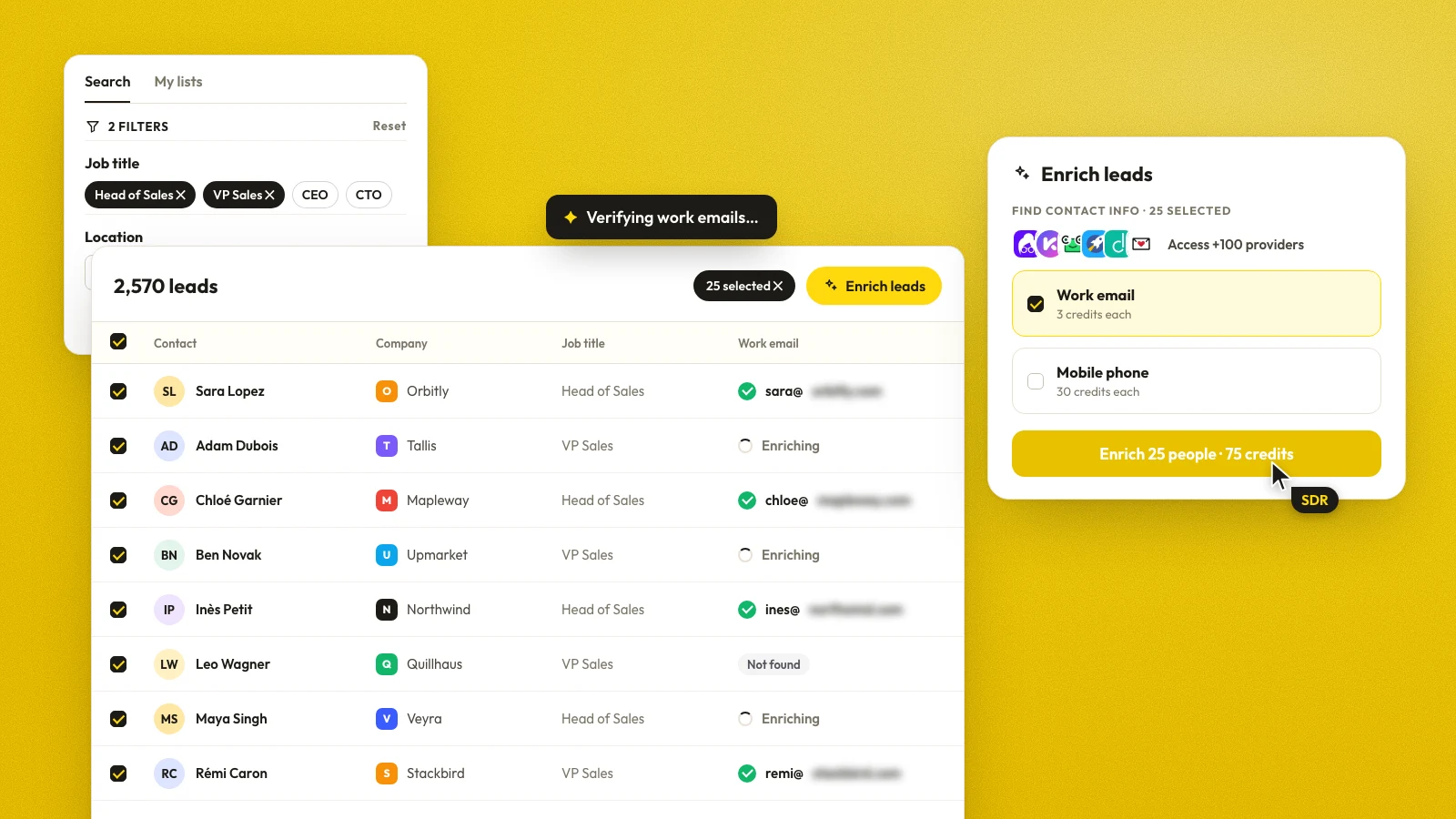
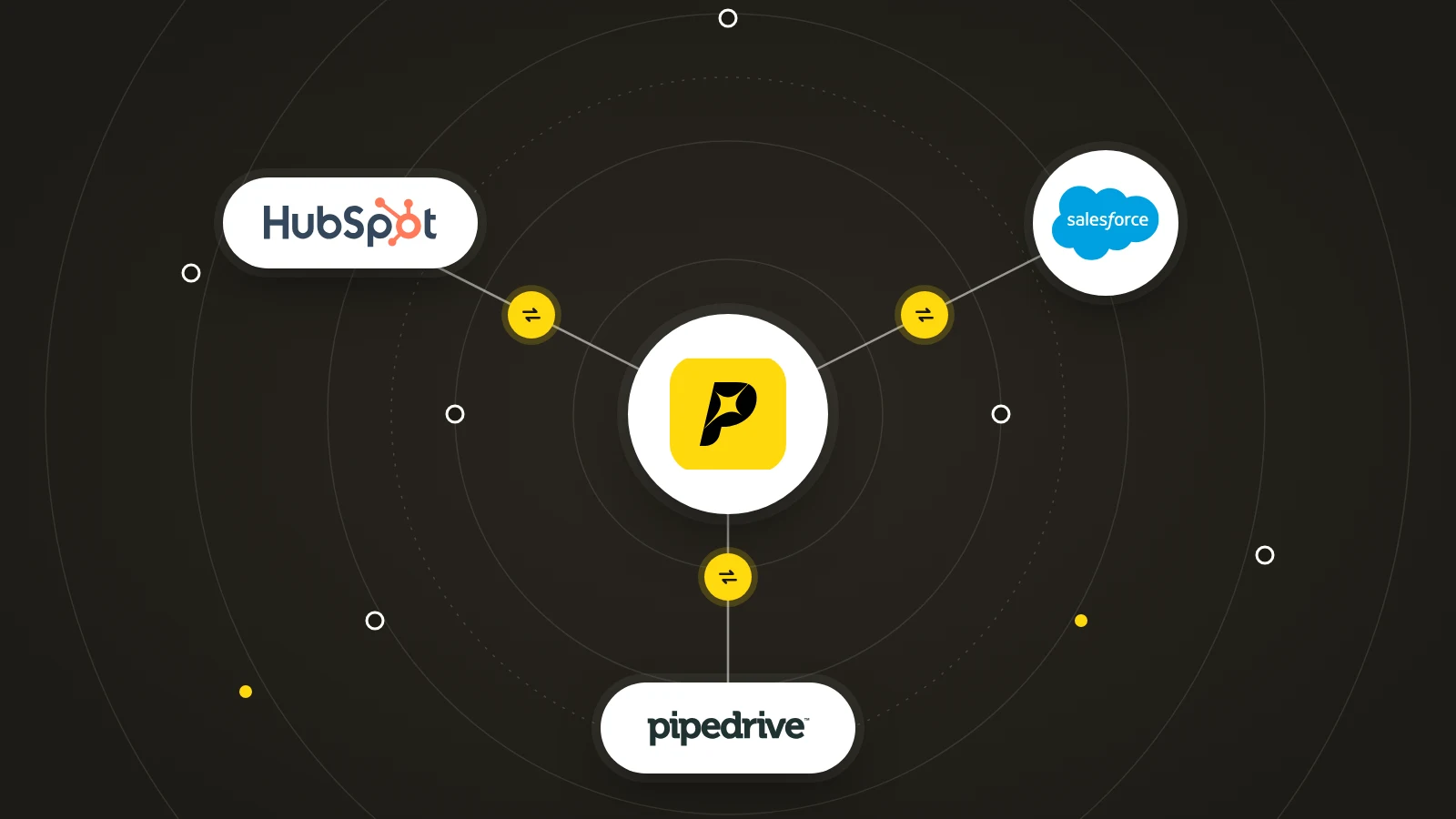
Pipecorn provides real-time email verification through its verify_email MCP tool and can return email status values such as valid, risky, or invalid within enrichment workflows. It also supports broader B2B contact sourcing, validation, CRM delivery, and sales-engagement integrations, so teams can evaluate whether verification belongs in a standalone service or a larger data workflow.
Pipecorn helps outbound teams source and validate B2B contacts, route qualified records into CRM and sales-engagement systems, and apply verification before prospects enter sequences. Visit Pipecorn to evaluate a workflow that combines email verification with enrichment and operational routing.