How to Verify Email Addresses Without Killing Deliverability
Learn how to verify email addresses with syntax, MX, SMTP and catch-all checks. Reduce bounces, protect sender reputation and scale outbound safely in 2026.

On this page
- 01Table of Contents
- 02Why Outbound Teams Need a Verification Habit
- 03The Four-Layer Verification Stack
- 04How SMTP Probing Really Works and Where It Breaks
- 05Handling Role-Based, Disposable and Catch-All Addresses
- 06Real-Time Verification Versus Batch Hygiene
- 07Monitoring Bounce Rate and Deliverability KPIs
- 08Your Verification Checklist and FAQ
You've got a fresh list, a warmed domain, and a campaign waiting in the queue. The dashboard looks clean until the first wave of bounces hits, and then the sender starts hearing from mailbox providers instead of prospects. That's usually the moment teams realize how to verify email addresses isn't a cleanup task, it's a sending decision that has to happen before outreach, before CRM entry, and before the next sequence runs.
A lot of teams still treat verification like a one-click fix after a bad import. That's how domains get bruised, follow-up gets throttled, and outbound starts losing trust with every send. The better model is simple, verification has to live inside the workflow, the same way list building, enrichment, and routing do.
Table of Contents
- Why Outbound Teams Need a Verification Habit
- The Four-Layer Verification Stack
- How SMTP Probing Really Works and Where It Breaks
- Handling Role-Based, Disposable and Catch-All Addresses
- Real-Time Verification Versus Batch Hygiene
- Monitoring Bounce Rate and Deliverability KPIs
- Your Verification Checklist and FAQ
Why Outbound Teams Need a Verification Habit
A RevOps lead inherits a familiar mess. Sales hands over a 5,000-contact list, the domain has been warmed for two weeks, the SDR manager is ready to launch, and the campaign still crashes into a wall of bounces because half the records were never reachable. That's not a content problem. It's not even a sequencing problem. It's a list-quality problem that should've been caught before the first send.
One guide cites an analysis showing that campaigns sent to unverified lists averaged an 8.4% bounce rate, while campaigns sent to verified lists averaged 1.2% (scrap.io). That gap is big enough to change how a team thinks about outbound. Verification isn't just about cleaning old data, it's the first gate between a healthy program and a domain that starts attracting warnings.
A useful way to frame this is through sender discipline, not tooling. If your team is trying to scale into new segments, new regions, or new acquisition channels, the list has to earn its way into the CRM. That's why founder-led teams that care about outbound quality often pair list curation with a practical playbook, like Extrovert's founder led sales guide, instead of treating data entry as an afterthought.
Practical rule: if a contact hasn't been verified before it enters the outbound system, it should be treated as unresolved, not ready.
The operational payoff is straightforward. Fewer bounces protect reputation, cleaner lists make sequencing safer, and verified data gives teams a better base when they expand into new geos or add new enrichment sources. If you're evaluating tools for sourcing and outbound workflows, this is also where the list-building stack matters, including systems that push contacts into outbound tooling workflows only after they've been checked.
The Four-Layer Verification Stack
Verification works best when it's layered, not when a team leans on a single pass/fail rule. The standard flow starts with syntax, then checks the domain, then confirms mailbox infrastructure, then probes deliverability behavior with SMTP. That sequence catches different classes of bad data, and each layer solves a different problem.
Start With Syntax and Domain Reality
The first layer is syntax. It catches malformed strings, missing symbols, odd spacing, and obvious formatting issues. An address like john.doe@gmail..com fails here before it ever touches the network. This is the cheapest place to stop bad records because no lookup is needed.
The second layer is domain and DNS review. This confirms the right-hand side of the address resolves cleanly and belongs to a real domain. A contact like jane@nonexistent-corp.xyz may look well formed at a glance, but if the domain can't be resolved, the rest of the chain doesn't matter. This is why syntax alone is never enough.
Confirm Mail Infrastructure Before Probing Delivery
The third layer is MX record lookup. That's the part that shows whether the domain is prepared to receive mail. It's the difference between a real company domain and one that only exists as a string in a spreadsheet. Guides describe this as the standard verification stack because syntax catches formatting errors, MX records confirm the domain can receive mail, and SMTP testing simulates delivery without sending a message (scrap.io).
The fourth layer is SMTP probing, which simulates a delivery attempt without publishing a real message. Verification becomes practical instead of theoretical here. A strong verifier doesn't just guess, it checks whether the mailbox appears reachable at the protocol level. For teams that also run waterfall enrichment, this final pass is often the point where verified contacts are routed into CRM rather than burned as dead credits, which is why some teams wire verification into waterfall enrichment as the final stage.
| Layer | What it checks | What it misses | Typical latency |
|---|---|---|---|
| Syntax | Formatting and character rules | Whether the mailbox exists | Very low |
| Domain and DNS | Whether the domain resolves | Mailbox-level status | Low |
| MX lookup | Whether mail can be received | Temporary mailbox blocks | Low |
| SMTP probe | Whether the mailbox appears reachable | Catch-all ambiguity and policy blocks | Variable |
A verifier that stops at syntax is doing spellcheck, not validation.
How SMTP Probing Really Works and Where It Breaks
A verifier opens a conversation with the recipient's mail server, starts with HELO, presents a sender with MAIL FROM, names the target with RCPT TO, and then leaves with QUIT before any message body is sent. That is why SMTP probing is non-destructive. It checks the mailbox path without posting a real email.
The problem is that mail servers don't all answer in a way software can interpret cleanly. Some systems return a 250 response even when the address won't accept delivery later. Others delay the response, filter the request, or hide the state behind anti-abuse controls. SMTP can look conclusive while still leaving room for error.
Where Good Probes Go Sideways
Greylisting can make a valid mailbox look unavailable on the first try. Tarpitting can slow the conversation until the verifier times out. Anti-spam appliances like Proofpoint and Mimecast can intercept the handshake and return responses that reflect policy more than mailbox truth. Some legacy tools also try noisy tactics like sending an empty email, which can create more operational risk than signal.
If the verifier can't distinguish “temporarily hidden” from “unreachable,” the result belongs in a review queue, not in a send list.
That is why unknown should never be treated like a green light. It means the SMTP path was noisy or inconclusive, and it usually deserves a second pass from another verifier or a later retry. The practical rule is simple. Trust results tagged valid or invalid, and route unknown into a controlled decision path.
SMTP probing gives precision, not certainty. It catches a lot of bad data that syntax checks miss, but it can still be fooled by policy layers and temporary server behavior. Mature teams use it as one step in the workflow, not as the final word. For a broader view of how waterfall enrichment works, SMTP results usually sit alongside other checks before a contact is cleared for send.

Handling Role-Based, Disposable and Catch-All Addresses
Three address types cause the most confusion because they sit outside the neat valid-invalid split. Role-based, disposable, and catch-all addresses each need a different policy, and treating them the same is where teams either over-reject good prospects or over-send to risky ones.
Role-Based Addresses Still Deserve Judgment
Addresses like info@, sales@, and press@ are usually monitored by humans, even if they don't belong to a named contact. They aren't automatically bad, but they often behave differently from a direct person-to-person mailbox. A B2B team may still send to them with adjusted cadence and lighter assumptions about response quality.
The mistake is assuming these addresses are low value just because they're shared. They can route to active teams, especially in smaller companies or process-heavy departments. They should be scored, not auto-deleted.
Disposable and Catch-All Need Different Policies
Disposable addresses are a cleaner decision. If a verifier identifies a mailinator-style or temporary mailbox, the safest move is to reject it before it ever enters a sequence. Those addresses are designed to evaporate, so they don't belong in a long-run outbound motion.
Catch-all is messier. Some servers accept mail for any address on the domain, which makes SMTP confirmation incomplete rather than useless. Several guides now warn that some B2B catch-alls are real mailboxes, so blanket-rejecting them can throw away usable prospects, while the better approach is to score them, segment them, or send them through a second verifier rather than calling them invalid outright (hunter.io). That nuance matters because a catch-all is often unresolved, not disproven.

Policy note: disposable should usually be a hard stop, catch-all should usually be a scored exception, and role-based should be judged by use case.
Real-Time Verification Versus Batch Hygiene
The cleanest teams use verification in two places, at capture and in maintenance. Real-time checks stop bad addresses before they enter the CRM. Batch hygiene cleans up what has aged out since the last import. Using only one of those modes leaves a hole somewhere in the workflow.
At Capture Time Keeps Bad Data Out
Real-time verification fires the moment a form is submitted, a LinkedIn scrape lands, or a chatbot captures contact data. It prevents obvious garbage from being stored, sequenced, or enriched. That matters because every bad record that gets in early becomes more expensive to fix later.
This is also the place where GTM teams can use verification as a guardrail, not a cleanup crew. The result can be written into a custom field in HubSpot, Salesforce, or Pipedrive, then read by Outreach, Salesloft, or lemlist to suppress bad contacts before a sequence ever starts. In a custom stack, the same verdict can move through an API or webhook so engineering doesn't have to hardcode the logic into every intake form.
Batch Hygiene Catches Data Decay
Batch runs solve a different problem, the one created by time. Email data decays. Jobs change, inboxes get abandoned, and domains disappear. One provider reports that by July 2026 it had verified 2.8+ billion email addresses at 99%+ accuracy for 85,000+ users across 180+ countries, while identifying 143 million invalid addresses, 95 million catch-all domains, and 61 million disposable addresses (myemailverifier.com). Those figures show the scale modern verification has reached, and why teams don't stop after a single pass.
Industry guidance also recommends recurring hygiene. Sources cite monthly re-verification for high-volume senders, 30 to 60 days before lists are considered stale, and every 3 to 6 months as a baseline for active marketing lists (zeliq.com). If your list is older than that, assume it needs another look.
Real-time blocks junk at the door. Batch hygiene clears out what rots in storage.
One practical pattern is simple. Verify at capture, then run recurring checks on active records, and keep catch-all and unknown results out of default sends until they've been reviewed. Some teams pair that with the rest of their enrichment stack, where verified email is just the final step before handoff to CRM and sequencing.
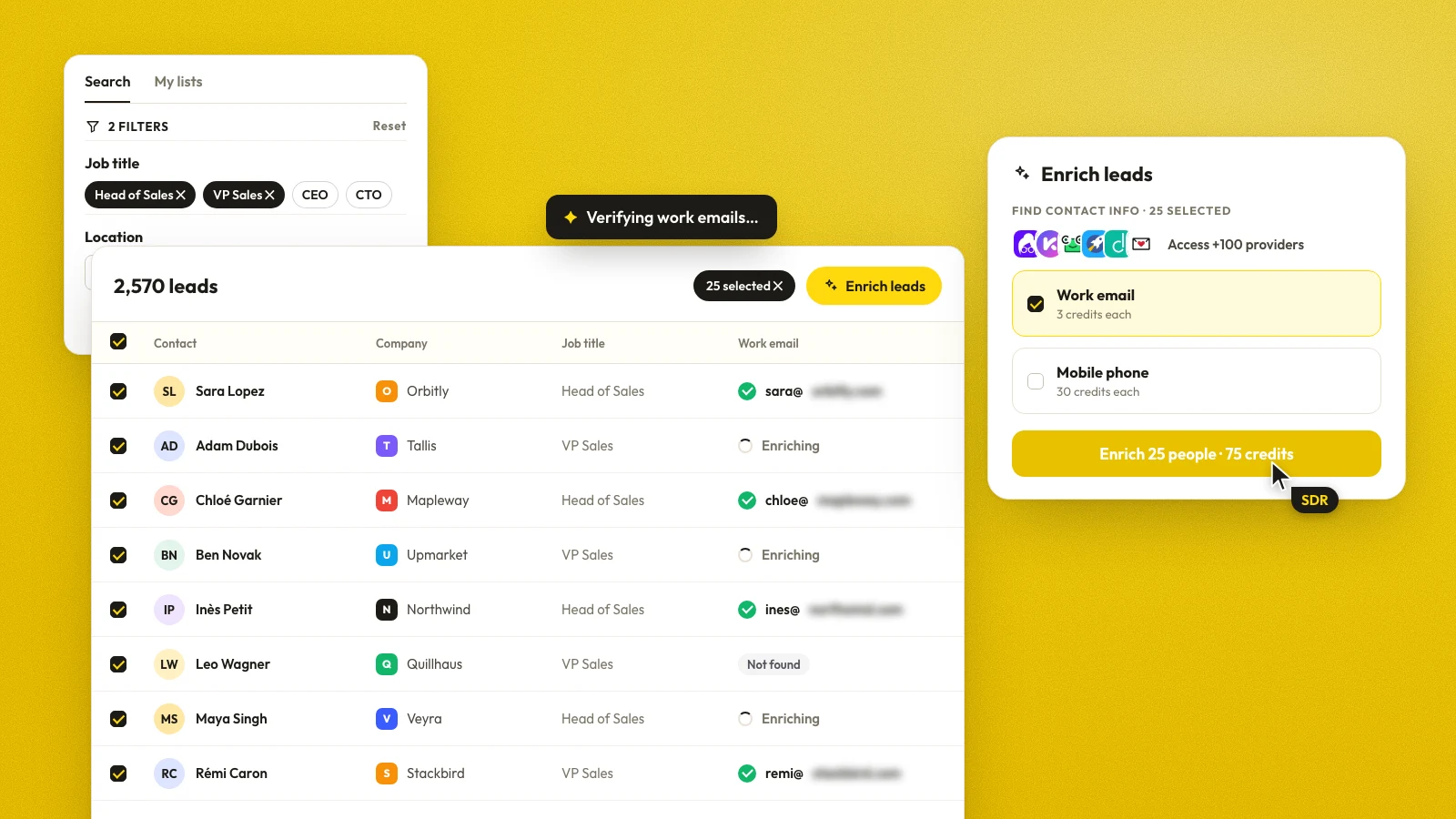
If you use Pipecorn, treat verification as the last gate before those contacts flow into your outbound tools, not as a post-bounce fix.

Monitoring Bounce Rate and Deliverability KPIs
A verification program is only as good as the numbers it improves. I watch bounce rate by campaign and by sending domain first, then the unknown result ratio, then sender reputation through mailbox provider tools and internal trend lines. If those three move in the wrong direction together, the problem is usually the list, the timing, or the source, not the subject line.
Watch the Right Signals, Not Every Signal
Bounce rate is the first signal to check. It shows quickly whether list quality, verification timing, or a bad data source is hurting delivery, and it usually points upstream long before a team starts blaming copy or personalization.
The unknown result ratio matters for a different reason. If too many records stay unresolved, the verifier may be getting blocked, timing out, or running into stricter mailbox policies. Guidance from zeliq.com treats a low unresolved rate as a sign that SMTP checks are still finishing cleanly. That does not mean every unresolved record is bad. It means the process may need another pass, a later retry, or a different verifier.
Put Verification Inside the Reputation Loop
Mailbox providers look at more than list quality. They also react to sending behavior, domain authentication, message quality, and recipient engagement, which is why sender reputation is never just one metric. AWS frames bounce rate as one of the most critical factors in its blog post titled How to Improve Email Sender Reputation with Amazon SES Email Validation, and it notes that reactive cleanup happens after bounces have already caused damage.
Keep verification close to the point of send. Recent guidance also warns that job changes, layoffs, and domain shutdowns can make previously valid addresses stale within 30 to 60 days, and that teams should document a Legitimate Interest Assessment for EU prospects while preferring EU-data-residency verifiers where appropriate (overloop.com). That decision is technical, but it is also about policy, residency, and how often your list gets rechecked before it goes out the door.
If you are diagnosing broader domain trust, a practical companion is a guide to domain reputation checks. Verification tells you whether the address looks reachable. Domain reputation checks tell you whether the sending domain itself still looks healthy enough to keep earning inbox placement.
Avoid Noisy Verification Tactics
Some legacy tools still rely on empty emails or brittle handshake tricks. Those methods can make a list look clean while adding risk to your sending infrastructure. A verification method should reduce noise, not create it.
Keep the verdict in your CRM, feed it into your sequencer, and re-check the list right before a send. That workflow catches decay that happens between runs, and it avoids turning your email program into a bounce cleanup loop.
Your Verification Checklist and FAQ
A workable verification program is less about buying a tool and more about locking a cadence into the outbound process.
- Pick one verifier that supports layered checks. Make sure it handles syntax, domain, MX, and SMTP in a single decision flow, not just formatting.
- Turn on at-capture validation. Block bad records before they enter the CRM, especially from forms, scraped data, and partner imports.
- Schedule recurring re-checks. Monthly is a reasonable baseline for active senders, with shorter cycles for high-volume programs and older lists.
- Segment catch-alls and role accounts. Don't force them into the same rule as named personal mailboxes.
- Store the result as a field. Let your CRM and sequencing platform read the verdict instead of asking SDRs to guess.
- Set bounce alerts and review unknowns. Unknown should trigger investigation, not automatic sending.
- Document the policy for EU prospects. Keep the compliance review and data-residency choice explicit.
FAQ
How long does verification take at scale?
It depends on the verifier, the mailbox behavior, and how much SMTP noise you hit. Real-time checks are meant to happen before the record enters the system, while batch runs are there to process the existing database without blocking the team.
What should you do with persistent unknown results?
Route them to a second verifier or a later retry, then keep them out of default sequences until they're resolved. Unknown is a process signal, not a green light.
Is verification enough to fix a damaged sender reputation?
No. Verification protects against bad input, but reputation also depends on domain authentication, engagement, complaint levels, and send behavior. It's one part of the recovery path, not the whole recovery path.
Pipecorn helps outbound teams source, clean, verify, and route contacts into CRM and sales engagement tools without making verification a separate cleanup job. If your list building and delivery flow still live in different places, start by tightening the handoff and reviewing how verified contacts move through your stack at Pipecorn.